A company translates its website into four languages, launches, and waits. Three months later, the new versions bring in almost no organic traffic, and in one market the original pages start slipping too. Nothing was mistranslated. The translation simply never became something Google could find, trust and rank.
That is the gap between translating a website and translating it for search. The first is a language job. The second is a publishing job: separate URLs, translated metadata, hreflang, keyword research in each language and a human check on every machine draft. Most guides that rank for this topic either explain how to read a foreign page in Chrome or sell a single plugin. Neither tells a business how to launch language versions that rank.
This guide covers the methods worth using, the seven steps in order, and the mistakes that quietly cost rankings. For the wider buying view, see the complete guide to website translation services.
Why Most Translated Websites Never Rank
Most translated websites never rank because the translation is never published as separate pages Google can index, or it is published as unreviewed machine output. Either way, search engines have nothing trustworthy to show in the new market.
Browser translation in Chrome, Edge or Safari happens on the visitor's screen. No new URL exists, so no new page exists. Many JavaScript widgets work the same way: they swap text after the page loads, often without giving each language a crawlable address. Both are useful for reading a site. Neither adds anything to search.
Plugins and proxies that publish machine translation to real URLs fix the indexing problem and create a policy problem. Google's spam policies list text translated by an automated tool without human review or curation before publishing as an example of spammy automatically generated content. Machine translation is a fine first draft. Publishing it untouched is the risk.
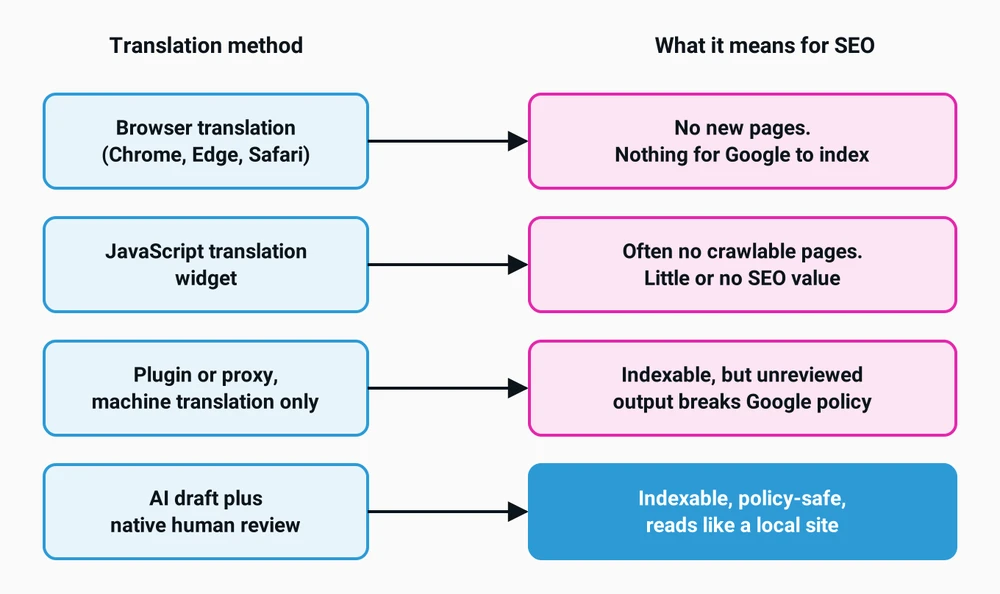
| Method | Creates indexable pages | Translation quality | Use it for |
|---|---|---|---|
| Browser translation | No | Machine output the visitor controls | Reading a foreign site, not publishing one |
| JavaScript widget | Often no | Machine output by default | Internal or low-stakes sites |
| Plugin or proxy, machine only | Yes | Unreviewed machine output | Drafts that a human will edit |
| AI draft plus human review | Yes | Native-reviewed, consistent terms | Business sites that must rank and convert |
The practical rule: publish every language as its own page, and put a native reviewer between the machine draft and the live site. The seven steps below follow that rule from start to finish.
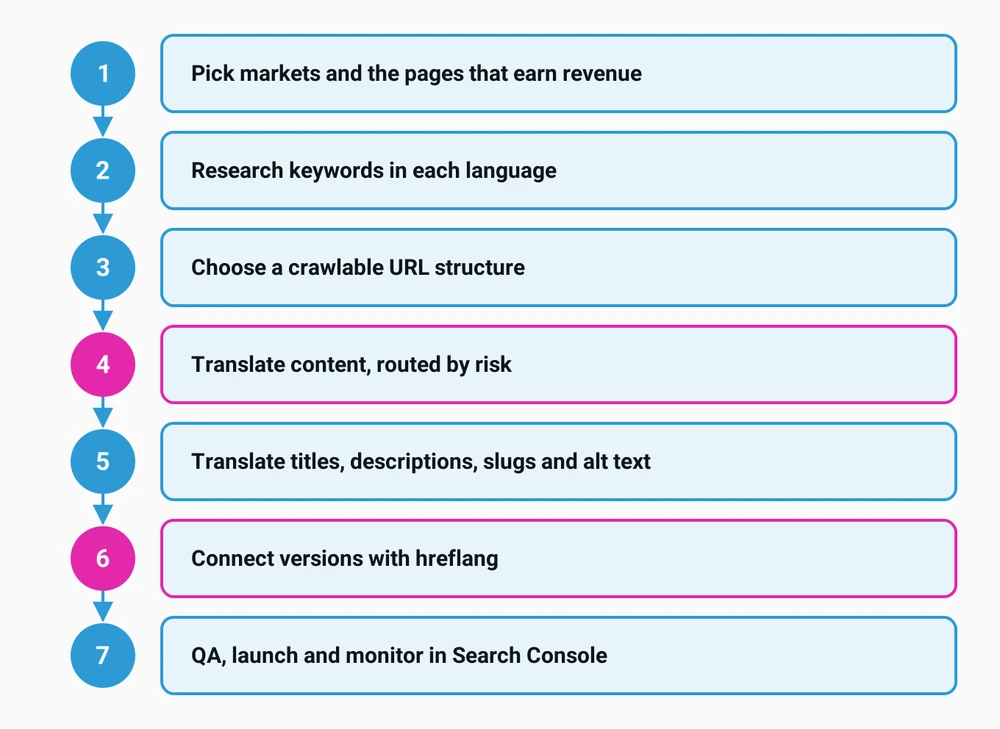
Step 1: Choose the Markets and Pages That Matter
Translate the pages that already earn revenue or leads first, for the markets where demand already shows up. A full-site translation on day one spreads budget across pages that nobody in the new market will ever read.
Look at where sign-ups, quote requests and in-language searches already come from. Then pick a launch set: the homepage, pricing, the top product or service pages, and the contact or quote page. Blog content and help articles can follow once the core pages convert. NexTranslate's framework for choosing which languages to localize first sets out the signals to weigh.
Launch one or two languages first rather than five. A small launch shows which workflow, review step and keyword process work before the cost multiplies, and it gives each new market enough attention to earn links and reviews of its own. The second wave then reuses the glossary, Translation Memory and templates the first one built.
Step 2: Research Keywords in Each Target Language
Translated keywords are not the keywords people search. Each market needs its own keyword research, done in the target language, before a single page is translated.
A literal translation of a product term is often a phrase nobody types. German buyers may search a loanword, Spanish searchers in Mexico and Spain may use different terms, and a feature name may stay in English. Give translators a short keyword sheet per page: the primary term, two or three variants, and the search intent behind them. That turns translation into multilingual SEO rather than word substitution.
Where does the data come from? Set a keyword tool to the target country and language, not to the United States with a translated seed list. If the site already gets some traffic from that market, Search Console's query report filtered by country shows the exact terms people use to find it today. Note the intent of each term as well: a market where buyers search for a service needs a service page, while one where they search for how-to answers needs supporting articles first.
Step 3: Choose a URL Structure Google Can Crawl
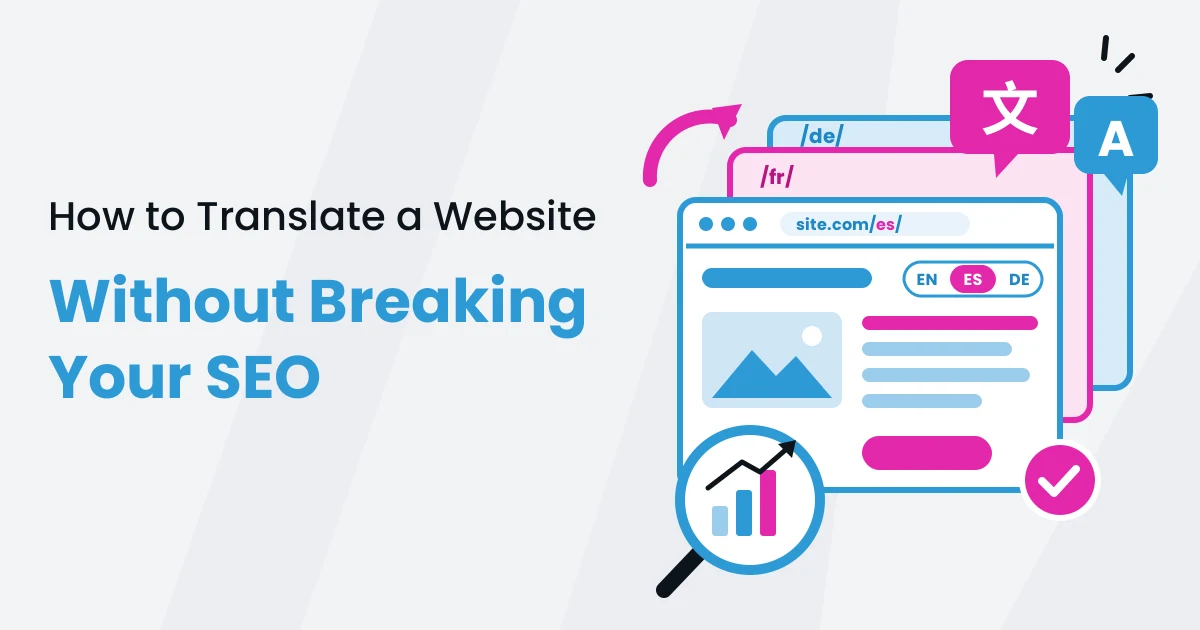
Give every language its own URL, and for most businesses make that a subfolder such as /de/ or /fr/. Google's guidance on multi-regional and multilingual sites lists subfolders, subdomains and country domains as workable options and recommends against URL parameters.
| Structure | Example | Strength | Trade-off |
|---|---|---|---|
| Subfolder | example.com/de/ | Keeps one domain's authority, easy to run | Weaker country signal from the URL alone |
| Subdomain | de.example.com | Can be hosted or run separately | More setup, tracking and link work |
| Country domain | example.de | Clearest country signal | Costly, each domain builds authority alone |
| URL parameter | example.com/?lang=de | None worth having | Google recommends against it |
Subfolders keep every language on one domain, so links earned by the English site help the German pages too, and there is only one property to run. Choose before launch. Changing structure later means redirecting every translated URL.
Two rules apply whatever the structure. Do not redirect visitors automatically by IP address or browser language, because Googlebot crawls mostly from the United States and may never see the other versions. Offer a visible language switcher instead, with plain links that crawlers can follow.
Step 4: Translate the Content, Routed by Risk
Not every page needs the same translation workflow, and treating them alike either wastes budget or ships risk. Route each page by what an error on it would cost.
The NEX Translation Matrix™ scores each page on five inputs: content type, business risk, customer impact, regulatory requirement and quality expectation. The score decides one of three outcomes. AI drafting is sufficient for low-risk, high-volume pages. Human linguists refine meaning on pages that sell. Independent Linguistic Quality Assurance (LQA) signs off pages where an error carries legal or safety exposure.
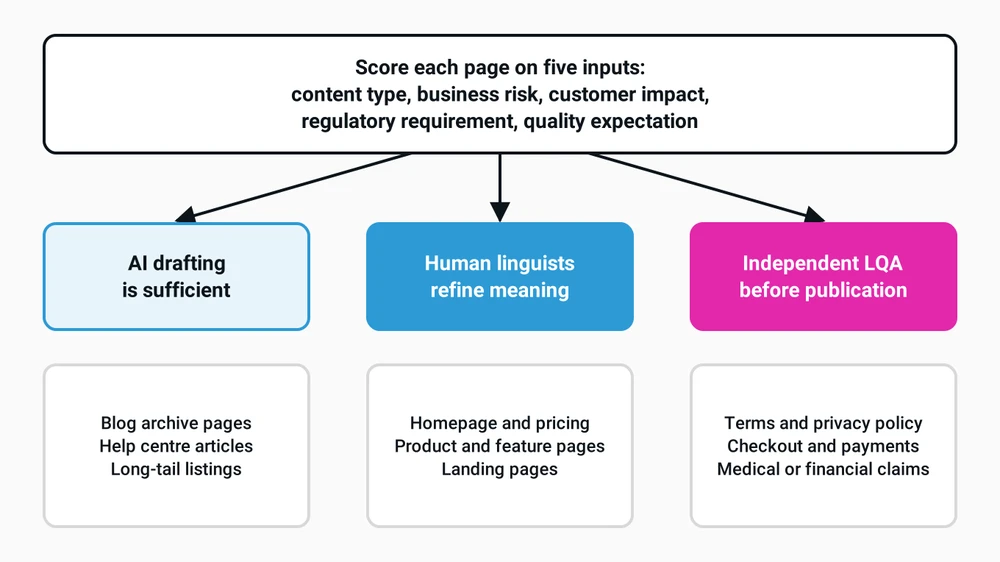
The matrix routes pages, not projects. One website launch produces all three outcomes at once: a help centre that ships through Machine Translation Post-Editing (MTPE), a pricing page a native linguist rewrites for tone, and terms of service that get a second, independent reviewer. A single workflow for the whole site always gets one of those three wrong.
Cost follows the same logic. NexTranslate offers transparent per-word pricing from USD 0.03 per word, with human proofreading and QA built into every tier rather than added as a second line.
Two assets keep every page consistent. A glossary fixes how product names, feature names and key terms are translated, including which ones stay in English. A Translation Memory (TM) stores every approved sentence so repeated text, such as navigation, footers and calls to action, is translated once and reused. Both cut cost on later updates and stop the same term appearing three different ways across the site.
Step 5: Translate the SEO Layer, Not Just the Body
Search engines rank the parts of a page most translation projects skip. The title tag, meta description, URL slug, headings, image alt text and internal links all need translating, and then optimising for the local keyword.
- Title tag and meta description: written for the local keyword and kept within length, not copied from English.
- URL slug: translated and readable, for example /de/preise/ rather than /de/pricing/.
- Headings: the local keyword in the H1 and at least one H2, phrased the way local buyers ask.
- Image alt text and file names: translated, and any text inside images replaced with live text.
- Internal links: pointing to the same-language version of each page, never back to English.
- Structured data: FAQ, product and organization markup translated to match the visible page.
Google identifies a page's language from its visible content, so a page with a German body and an English title sends a mixed signal. A scope check against what a website translation service actually includes is a quick way to confirm a vendor quote covers this layer.
Step 6: Connect the Language Versions With Hreflang
Hreflang tells Google which language or regional version to show each searcher, and without it the versions can compete with each other. It is the single most common technical failure on translated sites. For the full syntax and a copy-paste example, see hreflang explained.
- Every version lists every other version and itself, using language codes such as de, or language and region codes such as es-MX.
- Tags are reciprocal: if the English page points to the German page, the German page must point back.
- Each hreflang URL is the canonical URL of that version, never a redirect or a page set to noindex.
- An x-default entry names the page for visitors whose language is not offered, usually the language selector or the English site.
Hreflang can live in the page head, in HTTP headers or in the XML sitemap. The sitemap is easiest to maintain on large sites, because one file holds every pairing.
A minimal set for an English page with German and Mexican Spanish versions looks like this in the page head: link rel="alternate" hreflang="en" pointing to /pricing/, hreflang="de" pointing to /de/preise/, hreflang="es-MX" pointing to /es-mx/precios/, and hreflang="x-default" pointing to /pricing/. The same four lines appear on all three pages. Validate them after launch, because a single typo in a language code makes Google ignore the tag.
Step 7: QA, Launch and Monitor in Search Console
Translated pages need a pre-launch check by a native speaker on the live layout, then separate tracking per language after launch. Problems that look small in a spreadsheet show up fast on screen.
Before launch, check text expansion breaking buttons and menus, dates, currencies and number formats, forms and checkout in each language, and right-to-left layout if Arabic or Hebrew is in scope. After launch, submit the updated sitemap, request indexing for the core pages, and watch each language folder in Search Console for indexing errors and hreflang warnings. Set a review cycle so translations stay in step when the English pages change.
Keeping versions in sync is where most multilingual sites decay. A price change, a new feature or a rewritten headline in English leaves the other languages out of date within weeks, and outdated pages convert worse and can contradict each other. Connect the content source to the translation workflow so changed strings go out for translation automatically, and give each language a named owner who checks the live pages every month.
Common Mistakes That Break Rankings After Translation
Most ranking losses after a website translation come from a short list of avoidable mistakes, not from the translation itself.
- Publishing raw machine translation at scale with no human review.
- Redirecting visitors by location, so crawlers never see the other versions.
- Leaving titles, descriptions and slugs in English on translated pages.
- Missing or one-way hreflang tags, or tags pointing to redirected URLs.
- Canonical tags on every language version pointing back to the English page, which tells Google to ignore the translations.
- Translating keywords literally instead of researching what each market searches.
For a side-by-side view of providers that handle these steps, see this comparison of website translation services.
Frequently Asked Questions
Can I use Google Translate to translate my website?
Not for a site you want to rank. Google Translate in the browser creates no pages, so there is nothing to index, and publishing raw machine output conflicts with Google's spam policies. Use machine translation as a first draft, then have a native linguist review it before publishing.
Does translating my website hurt my SEO?
No, translation done properly adds rankings in new markets. Problems come from duplicate pages without hreflang, untranslated titles and descriptions, automatic redirects by location, and unreviewed machine output. Each language version needs its own URL and its own on-page SEO.
Which pages should I translate first?
Start with the pages that already earn revenue or leads: the homepage, pricing, top product or service pages and the contact or quote page. Add supporting content once those convert. Translating the whole site at once spreads budget across pages nobody in the new market will read.
Should I use subfolders, subdomains or country domains?
Subfolders such as /de/ suit most businesses because every language version shares one domain's authority and one setup. Country domains send the strongest country signal but each one builds authority from zero. Avoid URL parameters for language versions.
Do I need hreflang if each language has its own URL?
Yes. Hreflang tells Google which version to show to which language or region, so a German searcher sees the German page. Every version must list all the others and itself, and the tags must point to the canonical URL of each version.
How long does it take for translated pages to rank?
Expect weeks to months, the same as any new page. Indexing can happen within days if the pages are in the sitemap and linked from the language switcher, but rankings depend on competition and links in each market. Track each language separately in Search Console.
Conclusion: Translation Is the Easy Half
Translating the words is the easy half of translating a website. The half that decides whether the new versions earn traffic is publishing: real URLs, local keywords, translated metadata, hreflang and a human check on every draft. Get those right and each language becomes its own source of search demand.
NexTranslate runs this process end to end through its website localization services, combining AI drafts with native linguists and QA on every page. To price a launch set of pages in your target languages, request a quote.